Automated Zone Provisioning
Create and track Cloudflare zones through the WHMCS service lifecycle.

ANGLEMODULES / CLOUDFLARE-MODULE
Bring Cloudflare management directly into WHMCS. Automate zone provisioning and let customers securely manage DNS, SSL, caching, security and analytics from a premium client dashboard.
MODULE OVERVIEW
PRODUCT TOUR
CAPABILITIES
Create and track Cloudflare zones through the WHMCS service lifecycle.
Give customers a polished, responsive Cloudflare management experience inside WHMCS.
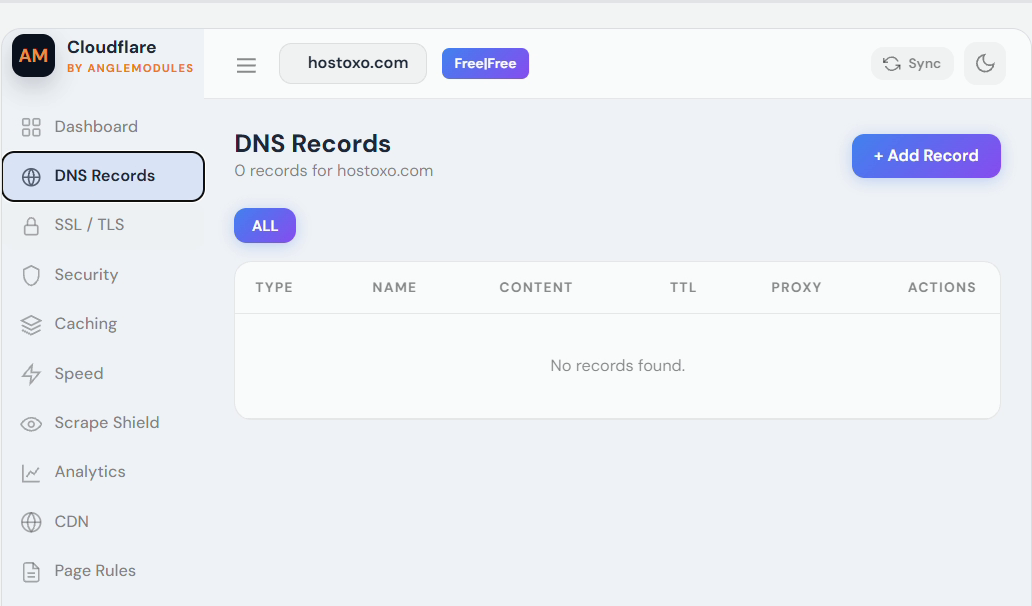
Create, edit and delete supported A, AAAA, CNAME, MX, TXT, SRV and NS records.
Enable or disable Cloudflare proxying for supported DNS records directly from WHMCS.
Manage supported SSL modes and the Always Use HTTPS setting from the customer dashboard.
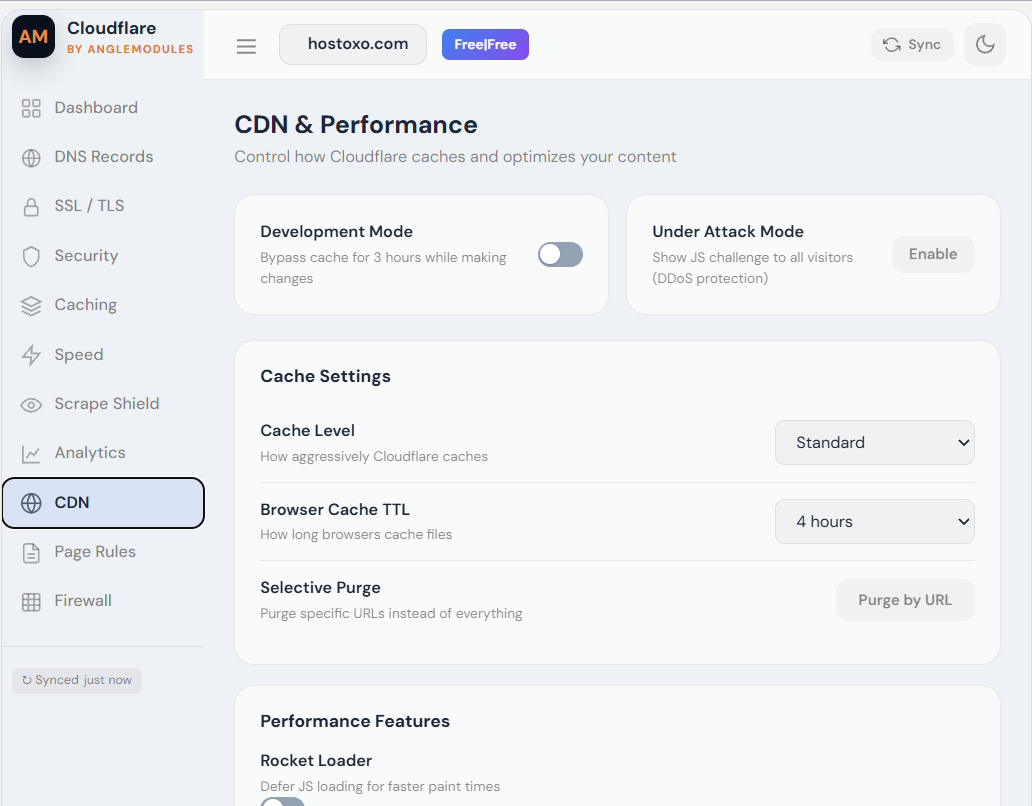
Purge cache, use development mode and manage supported caching options.
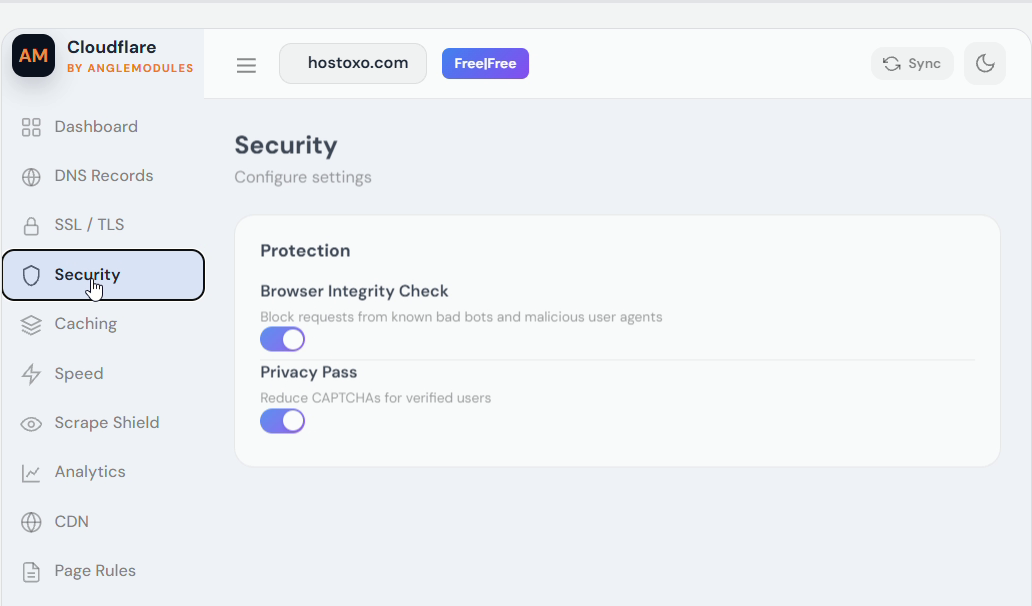
Access supported Cloudflare security controls and IP firewall rules without leaving WHMCS.
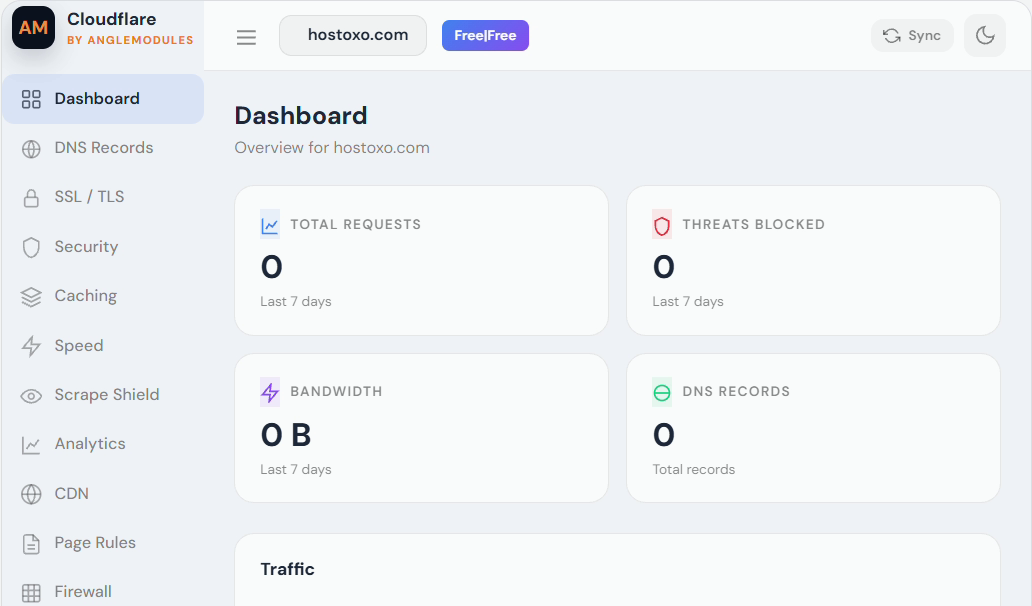
View traffic, request and security information using clear dashboard charts.
Review Cloudflare zones, statuses and service information from one administration interface.
Synchronize Cloudflare zone information with associated WHMCS services.
Store the Cloudflare account ID and API token using WHMCS encrypted configuration storage.
Signed, domain-bound AngleModules licence validation with a limited offline verification grace period.
Review API requests, errors and module activity for easier troubleshooting.
Includes the provisioning server module and administration addon in one structured download.
LICENSING
An active licence includes technical support for installation, licence activation and reproducible problems caused by the unmodified module on a supported WHMCS and PHP version.
Support does not include WHMCS customization, server administration, custom development, Cloudflare account configuration, third-party theme conflicts or problems caused by unsupported modifications.
Cloudflare API features remain subject to Cloudflare availability, plan limits, permissions and API changes.
Because this is digitally delivered software, refunds are handled according to the AngleModules Refund Policy. Please review the product requirements and compatibility information before purchasing.
A verified defect that prevents the unmodified module from performing its documented core functionality must first be reported to support with sufficient diagnostic information. Refund eligibility does not cover incorrect installation, incompatible environments, third-party conflicts, Cloudflare restrictions or a change of mind.
Nothing in this policy limits rights that cannot legally be excluded.
RSA-signed validation, domain-bound activations and an offline grace period protect both your installation and the product.
YOUR QUESTIONS
No. You must provide your own Cloudflare account. Cloudflare subscriptions and paid plans are purchased separately from Cloudflare.
The module requires your Cloudflare account ID and a scoped API token with the permissions needed for the features you enable. A least-privilege API token is recommended.
Yes. Customers can manage supported DNS record types from their WHMCS client area, subject to their service status and configured permissions.
The included interface supports common record types including A, AAAA, CNAME, MX, TXT, SRV and NS records.
This release supports WHMCS 8.10 and WHMCS 9.x running PHP 8.1, 8.2 or 8.3.
Some functionality depends on the Cloudflare plan attached to the zone. Cloudflare billing, paid-plan availability and API permissions are controlled by Cloudflare and are not included with the module.
No. Customers use the WHMCS interface. Your Cloudflare API credentials remain in the server-side WHMCS configuration and should never be exposed to customers.
The number of permitted installations depends on the AngleModules licence purchased. Each installation is validated against its authorized domain.
A previously validated installation can use its signed local licence cache for the configured offline grace period. A first-time activation still requires access to the AngleModules licensing server.
No. The module contains only the RSA public key required to verify signed licence responses. The private signing key remains securely stored on the AngleModules licensing server.
Upload the included modules directory into the root of your WHMCS installation. Activate Cloudflare Manager under Addon Modules, configure the Cloudflare provisioning server module and enter your AngleModules licence key.
Do not assume that uninstalling or deactivating the addon deletes external Cloudflare resources. Review and remove unwanted zones directly through Cloudflare when necessary.
READY TO DEPLOY?